
Download Online Vault Backup – Secure Password Manager & Form Filler
Overview
Online Vault Backup is a versatile password‑manager and form‑filling tool designed to eliminate the tedious chore of typing login credentials and filling out repetitive web forms. By securely storing usernames, passwords, shipping addresses, credit‑card numbers and even custom profiles, the application lets you complete registrations, purchases, and sign‑ins with a single click. The moment you first log into a site, Online Vault captures the credentials and encrypts them with industry‑standard AES‑256 encryption, ensuring that your data remains private and inaccessible to unauthorized parties.
If you prefer a more hands‑off approach, the program can also generate strong, bullet‑proof passwords that meet the most demanding security policies. For shared computers, you can create multiple user profiles, each with its own set of stored data, and switch between them directly from the taskbar without needing to log off Windows. While the software shines on standard English‑language forms, it may struggle with extremely long or foreign‑language forms that it has never encountered, occasionally offering only partial auto‑completion.
Nonetheless, for the majority of everyday browsing activities—social media logins, e‑commerce checkouts, and SaaS subscriptions—Online Vault provides a fast, secure, and user‑friendly experience that saves you hours of repetitive typing each month.
Key Features
- One‑Click Auto‑Fill: Instantly populate login fields, registration forms, and checkout pages with stored data.
- Secure Encryption: All credentials are encrypted locally using AES‑256, with a master password protecting the vault.
- Password Generator: Create random, complex passwords that meet NIST guidelines with a single button.
- Multiple Profiles: Separate personal, work, and family profiles to keep data isolated on shared devices.
- Cross‑Platform Sync (optional): Synchronize vault data securely across Windows, macOS, Android, and iOS via encrypted cloud storage.
- Browser Integration: Extensions for Chrome, Firefox, Edge, and Safari make auto‑fill available wherever you browse.
- Form History Learning: The app learns from previous entries to improve accuracy on repetitive forms.
- Secure Backup & Restore: Export encrypted backups and restore them on a new device with a master password.
- Audit Dashboard: View weak, reused, or compromised passwords and receive recommendations for improvement.
- Zero‑Knowledge Architecture: Developers cannot access your vault data; only you hold the decryption key.
Installation & Usage Guide
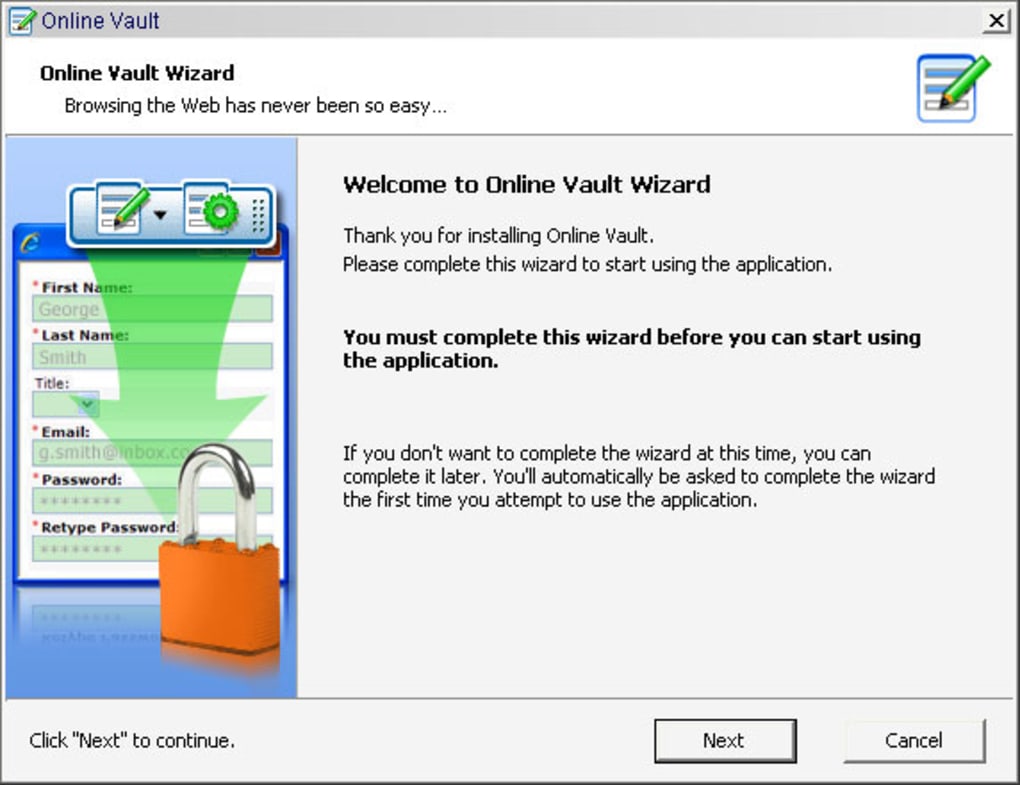
Installing Online Vault Backup is straightforward. Begin by visiting the official website and clicking the Download for Windows (or macOS, Android, iOS) button. The installer size is under 30 MB, and the process follows the typical Windows setup wizard: accept the license agreement, choose an installation folder, and let the program create a shortcut on your desktop and in the taskbar. For macOS, drag the app into the Applications folder, then open it from Launchpad. Mobile users can find the app in the Google Play Store or Apple App Store; simply tap Install and grant the necessary permissions for autofill and secure storage.
Upon first launch, you’ll be prompted to create a master password. This password is the key to decrypting your vault, so choose a phrase that is both strong and memorable. After confirming the master password, the wizard offers to import passwords from browsers or other password managers via CSV, making migration painless. Once imported, you can start adding new entries manually by clicking the New Entry button, selecting a category (Login, Credit Card, Identity, Secure Note), and filling in the fields. Each entry can be tagged for quick searching.
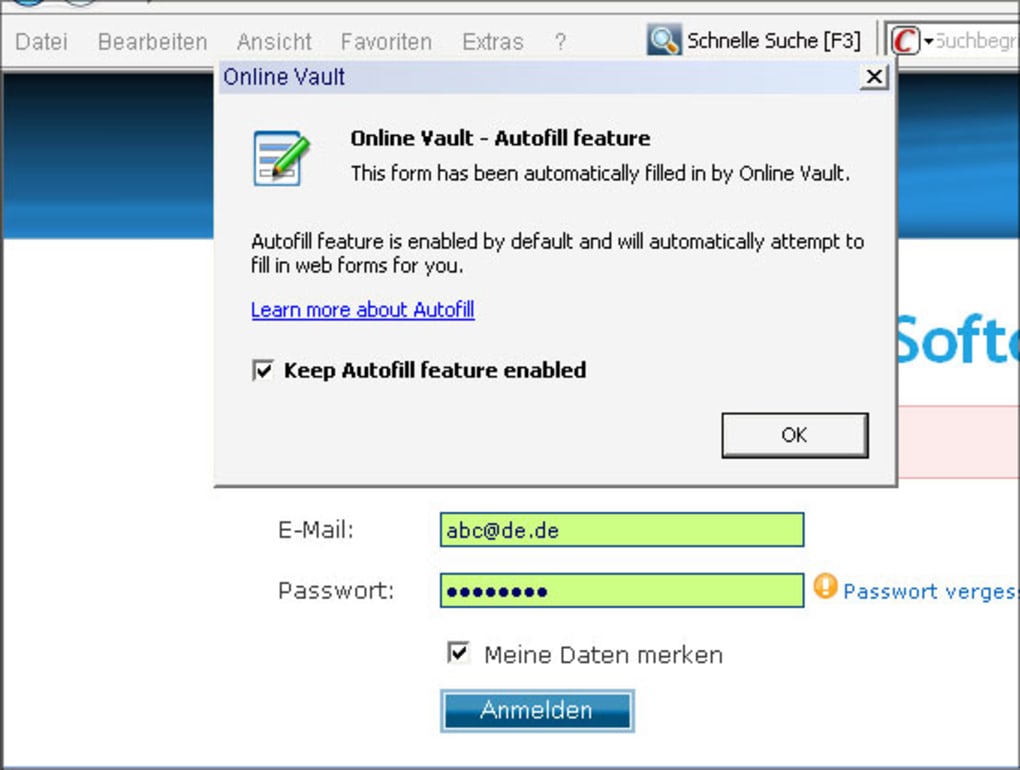
Using the auto‑fill feature is as simple as clicking the Online Vault icon in your browser toolbar. When a login form appears, the extension detects the domain, fetches the matching credentials, and displays a small dropdown. Click the desired entry, and the fields populate instantly.
For registration forms, Online Vault suggests saved personal details—name, address, phone number—if you have stored them under the appropriate profile. You can accept the suggestion with a single click or edit any field before submission. The app also offers a “Secure Mode” that temporarily disables auto‑fill on sensitive banking or government sites, ensuring maximum privacy where needed.
Regular updates are delivered automatically, adding new browser compatibility patches, security enhancements, and feature improvements. The built‑in update checker notifies you when a new version is available, and a one‑click restart installs the update without losing any saved data. For advanced users, the Settings panel provides options to adjust encryption parameters, enable two‑factor authentication for vault access, and configure cloud sync intervals.
Compatibility, Pros & Cons
Online Vault Backup supports the major desktop and mobile operating systems: Windows 10/11, macOS 10.15+ (Catalina and later), Linux (via Snap package), Android 8.0+ and iOS 13+. Browser extensions are available for Chrome, Edge, Firefox, and Safari, ensuring seamless integration across virtually every web‑browsing environment you might use.
Pros
- Highly secure AES‑256 encryption with a zero‑knowledge design.
- One‑click auto‑fill saves time on login and checkout processes.
- Robust password generator creates compliant, strong passwords.
- Multiple user profiles keep personal and professional data separate.
- Cross‑platform sync keeps your vault up‑to‑date on all devices.
- Free version available with essential features; premium upgrade adds cloud sync and advanced audit tools.
- Regular automatic updates maintain security and compatibility.
Cons
- Auto‑fill may struggle with unusually long or foreign‑language forms, requiring manual correction.
- Premium features (cloud sync, advanced audit) are locked behind a paid subscription.
- Initial setup requires careful master‑password creation; losing it means loss of access.
- Some highly secure banking sites disable third‑party autofill for compliance, limiting usefulness on those pages.
- Linux support is limited to the Snap package, which may not suit all distributions.
Frequently Asked Questions
Is Online Vault Backup really free?
Yes, the core password‑manager and form‑filler functionalities are completely free. A premium subscription unlocks cloud sync, advanced security audits, and priority support, but you can safely use the free version for everyday browsing.
How does Online Vault keep my data secure?
All data is encrypted locally with AES‑256 before it ever leaves your device. The master password you create is never stored or transmitted, meaning the developers have a zero‑knowledge architecture and cannot read your vault contents.
Can I use Online Vault on multiple devices?
Yes. By subscribing to the premium plan you gain encrypted cloud sync, which securely synchronizes your vault across Windows, macOS, Android, and iOS devices. Free users can manually export and import encrypted backup files.
What happens if I forget my master password?
Because the master password is the only key to decrypt the vault, forgetting it means you cannot recover the stored credentials. Online Vault provides a “Password Hint” option during setup, and we recommend keeping a secure physical backup of the hint.
Does the app work on banking or government websites?
Many high‑security sites deliberately block third‑party autofill for compliance reasons. Online Vault respects these restrictions and will not auto‑fill on such pages, but you can still use the password generator to create strong credentials manually.
Conclusion & Call to Action
Online Vault Backup stands out as a reliable, secure, and user‑friendly solution for anyone tired of repetitive typing and weak password habits. Its combination of robust AES‑256 encryption, intuitive one‑click auto‑fill, and flexible multi‑profile support makes it an ideal choice for both home users and professionals who share devices. While the free version already covers most everyday needs, the optional premium upgrade adds cloud sync and advanced security insights for power users. If you value speed, security, and the peace of mind that comes with a zero‑knowledge vault, download Online Vault Backup today and experience a smoother, safer browsing experience.
Click here to download the free version now and start protecting your passwords and personal data instantly.







